
Booking an LPG gas cylinder has become much easier than it used to be. Customers can now book a domestic LPG refill through official websites, mobile apps, IVRS phone services, missed calls, WhatsApp and other approved digital payment platforms.
In India, the three major public-sector LPG brands are Indane, Bharatgas, and HP Gas. Each company provides several ways for registered customers to book a refill without necessarily visiting their gas distributor.
This guide explains how LPG cylinder booking works, how to book a refill online, how to check booking and delivery status, what to do if a cylinder is delayed, how to raise a complaint, and which phone numbers and official websites you should use.
Important: LPG booking services and phone numbers can change from time to time. Always prefer the official company website or app when entering your consumer information, mobile number or payment details.
What Is LPG Cylinder Booking?
LPG cylinder booking is the process of requesting a refill of your domestic cooking-gas cylinder from your LPG distributor.
Once a customer places a refill request, the booking is recorded in the LPG company’s system. Depending on the company and service available in the customer’s area, the customer may receive messages about the booking, cash memo generation and delivery.
The three major domestic LPG providers are:
- Indane LPG – Indian Oil Corporation Limited
- Bharatgas – Bharat Petroleum Corporation Limited
- HP Gas – Hindustan Petroleum Corporation Limited
Customers generally need an active LPG connection and a registered mobile number for many digital booking services.
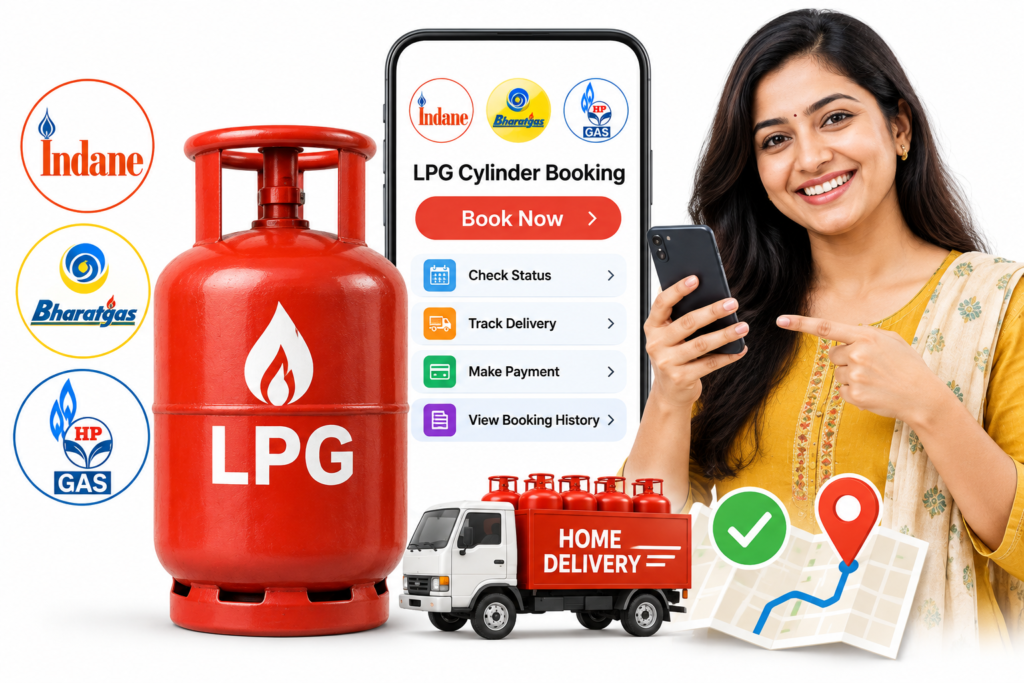
LPG Cylinder Booking Online: Main Methods
Depending on your LPG provider, you may be able to book a cylinder using:
- Official LPG website
- Mobile application
- IVRS telephone booking
- Missed-call booking
- SMS
- BBPS-enabled banking or payment applications
- Common Service Centres in some areas
- LPG distributor
The exact options can differ between Indane, Bharatgas and HP Gas.
How to Book an Indane LPG Cylinder Online
Indane customers can use official IndianOil digital services for LPG refill booking.
The official IndianOil LPG information page lists online and digital services including refill booking, missed-call booking, WhatsApp booking and SMS/IVRS services.
Method 1: Book Through the Official Website
Indane customers can use the official IndianOil customer portal to access LPG services.
General process:
- Open the official IndianOil LPG/customer portal.
- Sign in using your registered details.
- Select the LPG/refill booking option.
- Check the consumer details displayed.
- Select the refill booking option.
- Confirm the request.
- Save the booking/reference information.
- Track the delivery through the available customer service options.
Use the official IndianOil website rather than an unknown third-party website.
Method 2: Indane Missed-Call Booking
The Government’s PMUY portal currently lists the Indane missed-call refill service as:
8454955555
The service is intended for registered LPG customers.
Method 3: Indane WhatsApp Booking
The PMUY official portal currently lists the Indane WhatsApp number as:
7588888824
Use the official service and follow the instructions provided through WhatsApp.
Indane Customer Care
For Indane LPG customer assistance:
1800-2333-555
IndianOil also lists 1906 as the LPG emergency helpline for leakage and related emergencies.
How to Book a Bharatgas Cylinder Online
Bharatgas customers have several options for booking LPG refills.
The official Bharatgas website currently provides online booking, SMS, IVRS and mobile-app options.
Method 1: Bharatgas Online Booking
You can use the official Bharatgas online booking facility.
The booking process generally requires your registered contact number or LPG ID.
Depending on the service page, customers can enter their LPG ID or registered contact number to proceed with quick booking.
Method 2: Bharatgas IVRS Booking
The official Bharatgas website currently lists these IVRS numbers:
7715012345
7718012345
Customers can call from a registered phone number and follow the automated instructions.
Method 3: Bharatgas SMS Booking
Bharatgas also provides an SMS-based refill booking facility using the designated numbers listed by the company.
Customers receive SMS notifications relating to booking and delivery.
Method 4: Bharatgas App
Bharatgas provides a mobile application through which customers can access LPG-related services, including refill booking and payment.
How to Book an HP Gas Cylinder Online
HP Gas customers can use several official booking methods.
HPCL currently lists the following options:
- HP Pay mobile app
- HP Gas website
- HP Anytime IVRS
- Missed call
- UMANG app
- BBPS-enabled payment applications
- HP Gas distributor
Method 1: HP Gas Website
Visit the official HP Gas website and access the customer/refill booking service.
You may need your registered mobile number or customer details to continue.
Method 2: HP Pay App
The HP Pay mobile application provides LPG services including refill booking and payment.
HPCL states that HP Pay can also provide access to refill history and other LPG services.
Method 3: HP Anytime IVRS
HPCL currently lists its nationwide HP Anytime IVRS number as:
8888823456
HPCL says the service operates 24 hours a day and provides booking confirmation and SMS updates relating to the refill.
Method 4: HP Gas Missed Call
HPCL currently lists:
9493602222
Customers can give a missed call from their registered mobile number to book a refill.
Method 5: HP Gas WhatsApp
HPCL currently lists:
9222201122
Customers can initiate LPG services through WhatsApp from their registered mobile number. HPCL says WhatsApp services can include refill booking and other LPG-related services.
LPG Cylinder Booking Through WhatsApp
WhatsApp has become another convenient way for LPG customers to access services.
However, the correct WhatsApp number depends on your LPG provider.
For example:
Indane: 7588888824
HP Gas: 9222201122
Before using a WhatsApp number found on social media or another website, verify it through the official LPG company’s website.
Never send your Aadhaar number, bank details, OTP or other sensitive information to an unknown WhatsApp number.
How to Check LPG Cylinder Booking Status
After booking a cylinder, customers often want to know:
- Whether the booking was successful
- Whether the cash memo has been generated
- Whether the cylinder has been dispatched
- Whether delivery has been completed
- Whether the booking is still pending
The exact tracking process depends on the LPG company.
Indane
Use the official IndianOil customer services or IndianOil LPG app/portal to review refill-related information.
Bharatgas
Bharatgas provides online customer services and refill information through its official platform. Its systems can provide booking and delivery-related updates through registered contact details.
HP Gas
HP Gas provides refill history and related services through its online portal and HP Pay app. HPCL also states that HP Anytime provides SMS updates regarding booking, cash memo and delivery.
What Is a LPG Booking Number?
After successfully requesting a refill, you may receive a booking or reference number.
This number can be useful when:
- Checking your booking
- Contacting the distributor
- Raising a complaint
- Asking about delayed delivery
- Confirming the booking with customer support
Keep the SMS or booking confirmation until your cylinder has been delivered.
What Is a Cash Memo?
A cash memo is generated during the LPG refill process and records the transaction details associated with the refill.
Customers should check the amount shown on the cash memo and avoid paying amounts that are not properly explained.
HP Gas specifically advises customers to insist on a cash memo and states that charges should be paid according to the cash memo.
What Is Delivery Authentication Code or DAC?
LPG companies may use delivery authentication procedures to confirm that a refill is delivered to the correct customer.
A Government of India parliamentary document explains that a Delivery Authentication Code (DAC) can be sent to the consumer after cash memo generation and may be required to be shared with the delivery personnel at the time of delivery.
If you receive a delivery authentication code, do not share it with an unknown person before the actual delivery process.
What Should You Do If Your LPG Cylinder Is Not Delivered?
If your cylinder has been booked but delivery is delayed, follow these steps:
Step 1: Check the Booking Status
First check whether your booking was successfully registered.
Step 2: Check Your SMS
Look for messages relating to:
- Booking
- Cash memo
- Dispatch
- Delivery
Step 3: Contact Your Distributor
Your LPG distributor can check the local delivery status.
Step 4: Contact Customer Care
If the distributor does not resolve the issue, contact your LPG company’s official customer-care service.
Step 5: Register a Complaint
Use the company’s official website or customer-service system to register a complaint.
A Government of India parliamentary response states that LPG consumers can also use official websites/apps, CPGRAMS and other approved grievance channels for LPG-related complaints.
LPG Cylinder Booking Complaint: Important Numbers
Keep these numbers available for reference.
LPG Emergency – Gas Leakage
1906
This is the dedicated LPG emergency helpline for LPG leakage and related emergencies. It operates 24×7.
Common LPG Customer Care
1800-2333-555
IndianOil and government LPG information pages list this number for customer assistance.
For company-specific booking services, use the current official contact information of your LPG provider.
What to Do If You Smell Gas From an LPG Cylinder
LPG safety is more important than booking or delivery.
If you smell LPG:
- Do not panic.
- Do not light a match or lighter.
- Do not operate electrical switches unnecessarily.
- Extinguish flames if it is safe to do so.
- Move people away from the affected area.
- Ventilate the area if it can be done safely.
- Close the cylinder regulator/valve only if it is safe to do so.
- Move to a safe location.
- Call 1906 for LPG emergency assistance.
Do not attempt a complicated repair yourself.
If the situation is dangerous, move away and seek emergency assistance.
How to Pay for an LPG Cylinder
Depending on your LPG provider and location, payment may be available through:
- Online LPG portal
- LPG mobile application
- UPI
- Banking apps
- BBPS-enabled apps
- Other approved digital payment methods
- Payment at delivery, where permitted
HPCL states that HP Gas customers have multiple cashless payment options, including platforms such as Paytm, Amazon and BBPS-enabled services.
Always verify the amount before making a payment.
Can You Book an LPG Cylinder Through Paytm, PhonePe or Amazon?
In many cases, LPG refill booking and payment services are available through BBPS-enabled apps and other approved platforms.
The Government’s PMUY portal states that booking/payment facilities may be available through BBPS-enabled apps, while HPCL specifically lists platforms such as Paytm, Amazon and PhonePe among its LPG payment/booking options.
Because app features can change, check the LPG provider shown inside the payment application before confirming the transaction.
What If Your Mobile Number Is Not Registered With Your LPG Connection?
Many digital LPG services depend on a registered mobile number.
If your mobile number is not registered or has changed:
- Check whether your LPG company allows online mobile-number updating.
- Use the official customer portal if available.
- Follow the company’s verification process.
- If online updating is unavailable, contact your LPG distributor.
For example, HPCL states that the first-time registration of a mobile number may require a visit to the HP Gas distributorship, while subsequent changes can be made through available digital channels with OTP validation.
How to Get a New LPG Connection
If you do not already have an LPG connection, refill booking is not the first step.
You need to apply for a new LPG connection with an approved LPG provider.
Depending on the provider, applications may be available through:
- Official LPG website
- Mobile application
- UMANG
- LPG distributor
HPCL states that new HP Gas domestic connections can be applied for online.
For eligible households, the Pradhan Mantri Ujjwala Yojana also provides an official route for eligible applicants. The PMUY portal provides information about eligibility, documents and online application.
LPG Subsidy: What Consumers Should Know
LPG subsidy arrangements can depend on government policy, consumer eligibility and the applicable scheme.
Consumers should not assume that every LPG customer receives the same subsidy.
If you are eligible for a government LPG benefit or subsidy, use the official LPG provider portal and government sources to check your current status.
The official Bharatgas platform, for example, provides services related to PAHAL status and subsidy information.
For Ujjwala-related information, use the official PMUY website.
Pradhan Mantri Ujjwala Yojana and LPG
The Pradhan Mantri Ujjwala Yojana (PMUY) is a Government of India programme related to LPG access for eligible households.
The official PMUY website provides information about:
- Eligibility
- New LPG connections
- Refill booking
- Safety
- KYC
- Subsidy/PAHAL-related services
- Helplines
- Online services
The official PMUY portal currently lists:
1906 – LPG Emergency Helpline
1800-2333-555 – Toll-Free Helpline
1800-266-6696 – Ujjwala Helpline
Always check the official PMUY portal for the latest scheme information.
Important LPG Booking Websites
For safety, bookmark official websites instead of relying on random LPG booking websites.
IndianOil / Indane
Official IndianOil LPG information: click here
Bharatgas
Official Bharatgas website: click here
HP Gas
Official HP Gas website: click here
Government PMUY Portal
MyLPG
The Government’s LPG ecosystem also provides the MyLPG platform for LPG-related consumer services.
Before entering your mobile number, LPG ID, Aadhaar information or payment details, verify that you are on an official website.
Important LPG Phone Numbers
| Service | Number |
|---|---|
| LPG Emergency / Leakage | 1906 |
| Common LPG Customer Care | 1800-2333-555 |
| PMUY / Ujjwala Helpline | 1800-266-6696 |
| Indane Missed Call Booking | 8454955555 |
| Indane WhatsApp | 7588888824 |
| Bharatgas IVRS | 7715012345 / 7718012345 |
| HP Gas IVRS | 8888823456 |
| HP Gas Missed Call | 9493602222 |
| HP Gas WhatsApp | 9222201122 |
Phone numbers and service methods can change, so verify them on the provider’s official website before using them. The numbers above were checked against official/company sources available at the time this article was prepared.
LPG Cylinder Booking: Common Problems and Solutions
1. Booking failed
Check your registered mobile number and LPG consumer information. Try again through the official website, app or another official booking method.
2. No confirmation SMS
Wait a short time and check the booking status through the official portal or app.
If there is no booking record, contact customer care.
3. Cylinder delivery is delayed
Check the booking and cash memo status first. If the delivery remains pending, contact your distributor or register a complaint.
4. Mobile number is not registered
Update your mobile number through the official procedure provided by your LPG company.
5. Payment problem
Check whether the payment was successful before attempting another payment. Keep the transaction reference if money was deducted.
6. Distributor is not responding
Use the official customer-care or grievance system of your LPG company.
7. You received a suspicious message
Do not click unknown links or share OTPs, UPI PINs, passwords or banking information.
Use only official LPG websites and apps.
LPG Booking Safety Tips
LPG customers should follow some basic precautions.
Never share your OTP
An LPG company representative should not need your banking OTP or UPI PIN.
Verify the website
Look carefully at the website address before entering personal information.
Use official apps
Download LPG apps only from trusted app stores and verify the publisher.
Check the cash memo
Before paying, check the amount shown on the official cash memo.
Keep your mobile number updated
A registered mobile number makes digital LPG services easier to use.
Do not ignore gas leakage
If you smell LPG, treat it as a safety issue rather than an ordinary customer-service complaint.
Call 1906 for LPG leakage emergencies.
Frequently Asked Questions About LPG Cylinder Booking
How can I book an LPG cylinder online?
You can book through your LPG provider’s official website or mobile app. Depending on the provider, booking may also be available through IVRS, missed call, WhatsApp, SMS and approved payment platforms.
Which companies provide domestic LPG cylinders in India?
The major public-sector LPG brands include Indane, Bharatgas and HP Gas.
Can I book an LPG cylinder from my mobile phone?
Yes. Depending on your provider, you can use an app, website, IVRS, missed call, WhatsApp or other approved mobile-based services.
What is the LPG emergency number?
1906 is the LPG emergency helpline for leakage and related emergencies.
What is the Indane customer-care number?
IndianOil currently lists 1800-2333-555 as its customer-care number for LPG assistance.
What is the HP Gas booking number?
HPCL currently lists 8888823456 for its HP Anytime IVRS refill booking service.
What is the HP Gas missed-call booking number?
HPCL currently lists 9493602222 for missed-call refill booking from a registered mobile number.
What is the HP Gas WhatsApp number?
HPCL currently lists 9222201122 for WhatsApp LPG services.
What are the Bharatgas IVRS numbers?
The official Bharatgas website currently lists 7715012345 and 7718012345 for IVRS refill booking.
Can I track my LPG cylinder after booking?
Yes. Depending on your LPG provider, you can use the official app, website, SMS notifications or customer service to check booking and delivery information.
What should I do if my LPG cylinder is not delivered?
First check your booking status and messages. Then contact your distributor. If the issue continues, register a complaint through your LPG company’s official grievance channel.
Can I book LPG through WhatsApp?
Yes, some LPG providers offer WhatsApp booking. Use only the WhatsApp number published by your LPG company’s official website.
Can I book LPG through a missed call?
Yes. Missed-call booking is available for some LPG providers and generally requires a registered mobile number.
Can I pay for an LPG cylinder online?
Depending on the provider and service available in your area, online payment can be made through the official portal, app or supported payment platforms.
Is LPG cylinder booking available 24 hours?
Digital services such as online portals, apps and certain IVRS systems may be available outside normal distributor working hours. The exact availability depends on the service.
Do I need to visit the gas agency every time I book a cylinder?
Usually, no. Registered customers can often book refills through digital or telephone-based services.
What should I do if I smell gas?
Do not create flames or sparks. Move to a safe location and call 1906, the LPG emergency helpline.
Final Checklist Before Booking Your LPG Cylinder
Before booking, keep these things ready:
- Registered mobile number
- LPG consumer number or LPG ID
- LPG provider name
- Official mobile app or website
- Previous booking information if required
- Payment method if online payment is selected
After booking:
- Save the booking/reference number
- Check the confirmation message
- Monitor delivery status
- Check the cash memo
- Keep the delivery confirmation until the transaction is complete
Final Thoughts
Online LPG cylinder booking has made it much easier for households to request refills without repeatedly visiting a gas agency.
Whether you use Indane, Bharatgas or HP Gas, the safest approach is to use the official website, official mobile application, verified IVRS number, official WhatsApp service or another booking method published by the LPG company.
If your cylinder is delayed, check the booking status first and then contact the distributor or official customer-care service. For a suspected LPG leakage or other LPG emergency, use 1906 rather than waiting for ordinary customer support.
Most importantly, protect your personal and financial information. Never share your OTP, UPI PIN, password or banking credentials with an unknown person claiming to help with LPG booking.
SHARING IS CARING 💖