
Introduction
Has your mobile number changed recently, or have you lost access to the number registered with your Aadhaar Card? If so, updating your mobile number is important because it can help you receive OTPs and access Aadhaar-related online services.
Many people search for how to change a mobile number in an Aadhaar Card online because they want to avoid unnecessary travel, long queues and paperwork. The good news is that UIDAI has introduced mobile-number update functionality through its Aadhaar app for eligible users. However, the process available to you may depend on whether you can access your existing registered number and complete the required verification.
In this guide, you will learn how to change your mobile number in Aadhaar in 2026, how to check the app-based option, what to do if your old number is unavailable, the applicable fees, and how to track your update request.
Important: Use only official UIDAI services. The availability of an app-based update option can depend on your situation and the current app functionality.
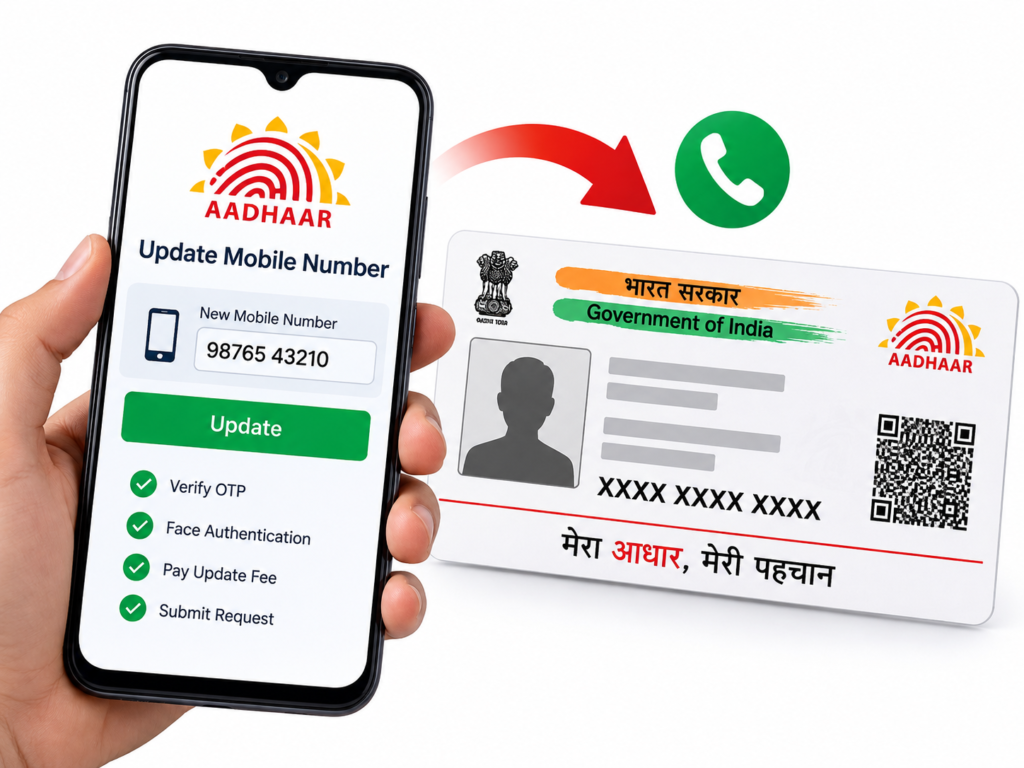
Can You Change Your Aadhaar Mobile Number Online in 2026?
UIDAI’s official information describes a mobile-number update option through the Aadhaar app for eligible users. The process includes mobile-number verification, face authentication and payment of the prescribed fee.
If you cannot access your existing registered mobile number, or you have never registered a mobile number with Aadhaar, UIDAI directs you to visit an Aadhaar Seva Kendra or an authorised Aadhaar enrolment and update centre.
Therefore, before making a trip, check the official Aadhaar app to see whether the mobile-number update service is available for your circumstances. If it is not available, use an authorised centre.
Official website: https://uidai.gov.in/
How to Change Mobile Number in Aadhaar Card Using the Aadhaar App
If the mobile-number update service is available to you in the official Aadhaar app, follow these general steps.
Step 1: Open the Official Aadhaar App
Install or open the official Aadhaar app from your phone’s authorised app store. Check the publisher carefully so you do not install an imitation app.
Step 2: Register or Sign In
Follow the app’s instructions to access your Aadhaar profile. Depending on your circumstances, the app may require you to register using your existing Aadhaar-linked mobile number.
Step 3: Find the Mobile Number Update Option
Look for the mobile-number update service in the app. If the option is not available, check UIDAI’s official website for current instructions or arrange an in-person update.
Step 4: Enter Your New Mobile Number
Carefully enter the new mobile number you want to register with Aadhaar. Check every digit before proceeding.
Step 5: Complete Mobile Verification
Follow the verification instructions displayed in the app. UIDAI’s published app guidance describes OTP verification and face authentication. Depending on your registration circumstances, verification of the old and new mobile numbers may be required.
Step 6: Pay the Prescribed Fee
If the app requests payment, pay only through the official payment process shown in the application. Review the amount before confirming.
Step 7: Submit the Request
Review the details and submit your request. Save the acknowledgement or reference details provided by the app, if available.
Step 8: Check the Update Status
Use the status-checking facility or instructions provided by UIDAI to see whether your request has been processed. Do not assume that submitting a request means the number has already been changed.
Official guidance: UIDAI – How to Update a Mobile Number Through the Aadhaar App
How to Change Your Aadhaar Mobile Number Without the Old Number
Have you lost your old SIM card, changed your number, or stopped using the mobile number registered with Aadhaar? Do not worry. You can still request an update.
If you cannot complete the app-based verification because your old number is unavailable, follow the in-person process below.
Step 1: Find an Aadhaar Update Centre
Visit the official UIDAI website and use its centre-locator service to find a nearby authorised Aadhaar enrolment and update centre.
You can also explore the official Aadhaar Seva Kendra appointment facility at:
https://bookappointment.uidai.gov.in
Booking an appointment at a UIDAI-run Aadhaar Seva Kendra is free. You can book for yourself or an eligible family member.
Step 2: Visit the Centre
Visit the selected centre and tell the operator that you want to update the mobile number linked to your Aadhaar.
Carry your Aadhaar details or number so the operator can identify your record. Follow the centre’s instructions if additional information is needed.
Step 3: Complete the Verification Process
The authorised operator will guide you through the required identity verification and biometric authentication process.
UIDAI’s published guidance states that the old mobile number is not required for an in-person mobile-number update. A separate supporting document for the mobile-number change is generally not required, but you should follow the centre’s instructions.
Step 4: Pay the Applicable Fee
Pay the prescribed update charge and collect your acknowledgement receipt. Keep the reference number safe because it may be needed to check the request status.
Step 5: Track Your Request
Use the official UIDAI status-checking facility and the details on your acknowledgement receipt to follow the progress of the update.
The update may take time. Wait for confirmation before assuming your new number has been registered successfully.
Aadhaar Mobile Number Update Fees in 2026
The amount you pay depends on the type of update and the applicable UIDAI fee schedule.
According to the UIDAI Aadhaar Seva Kendra information available for this guide, a demographic update—including a mobile number—costs ₹75 when done separately. If the demographic update is performed together with a biometric update, the published fee schedule lists the demographic component as free under the stated conditions.
| Service | Published charge |
|---|---|
| Mobile number update as a separate demographic update | ₹75 |
| Demographic update performed with a biometric update | Free under UIDAI’s stated conditions |
| Online appointment booking at a UIDAI-run Aadhaar Seva Kendra | Free |
Fees and available payment methods can change. Check the current official UIDAI fee schedule or the amount displayed through the authorised service before paying.
Do not pay an agent simply to obtain an Aadhaar update form or an appointment.
Official fee information: https://uidai.gov.in/
What Documents Are Required to Change the Aadhaar Mobile Number?
One common concern is whether you need to carry documents to change your registered mobile number.
For a standard mobile-number update at an authorised Aadhaar centre, UIDAI’s guidance indicates that a separate supporting document for the mobile number is not generally required. The centre will still need to verify your identity through its prescribed process.
For convenience, carry your Aadhaar details and any acknowledgement or information relevant to your request. Follow the official instructions if your circumstances are unusual.
Do not share your Aadhaar OTP or biometric information with an unauthorised person.
How Long Does an Aadhaar Mobile Number Update Take?
The processing time may vary depending on verification and the status of the request. An update is not necessarily completed immediately after you submit it.
UIDAI has stated that normally 90% of update requests are completed within 30 days, although individual cases can take different amounts of time.
Keep your acknowledgement details until you receive confirmation. If your request remains pending longer than expected, contact UIDAI for assistance.
How to Check Aadhaar Mobile Number Update Status
After submitting your request, use the official UIDAI website or the status-checking instructions provided with your acknowledgement.
- Visit https://uidai.gov.in/.
- Open the Aadhaar update status service or follow the instructions on your acknowledgement.
- Enter the requested reference details.
- Complete any verification displayed on the official page.
- Review the status shown.
Keep your acknowledgement number private and use only the official website. If the request is still processing, check again later rather than submitting duplicate requests unnecessarily.
What If Your Aadhaar Mobile Number Update Is Rejected?
A request may not be completed if verification fails or the information provided does not satisfy the service requirements.
If your request is rejected:
- Read the status message carefully.
- Check whether the official service provides a reason or next steps.
- Correct any issue identified by UIDAI.
- Contact UIDAI support if the reason is unclear.
- Visit an authorised Aadhaar centre if an in-person verification is required.
Do not assume that paying the fee guarantees approval. The request must complete the prescribed verification and processing.
Important Safety Tips Before Updating Your Aadhaar Mobile Number
Your Aadhaar details are personal information, so take a few precautions before starting the process.
- Use official services: Visit UIDAI’s official website or use the genuine Aadhaar app.
- Protect OTPs: Never share an OTP with an unknown caller, agent or website.
- Avoid unofficial payment links: Pay only through the official service or authorised centre.
- Keep your receipt: Save your acknowledgement details until the update is complete.
- Check the new number carefully: A typing error could cause unnecessary delays.
- Avoid fake promises: Be cautious of websites claiming that anyone can change any Aadhaar-linked mobile number instantly without verification.
- Confirm completion: Do not rely only on a submission message; check the final status.
Official Aadhaar Links and Contact Information
For accurate information and help, use these official resources:
- UIDAI official website: https://uidai.gov.in/
- Aadhaar Seva Kendra appointment: https://bookappointment.uidai.gov.in/
- myAadhaar portal: https://myaadhaar.uidai.gov.in/
- UIDAI helpline: 1947
- UIDAI email: help@uidai.gov.in
If a page does not open, navigate to the official UIDAI homepage and locate the relevant service there.
Frequently Asked Questions (FAQs)
1. Can I change my Aadhaar mobile number online from home in 2026?
UIDAI has published an Aadhaar app-based mobile-number update process for eligible users. It involves the required verification and payment. If the option is unavailable to you or you cannot access the old registered number, you may need to visit an authorised Aadhaar centre.
2. Can I change my Aadhaar mobile number without my old SIM card?
Yes. UIDAI’s guidance says that if you no longer have access to the old number, you can request the update at an authorised Aadhaar enrolment and update centre. The old mobile number is not required for that in-person process.
3. What is the fee for updating an Aadhaar mobile number?
The published UIDAI fee schedule lists ₹75 for a separate demographic update, which includes a mobile number. Check the latest official fee information before paying.
4. Do I need proof of address to update my Aadhaar mobile number?
A separate proof-of-address document is generally not required just to update the registered mobile number. Follow the authorised centre’s instructions for your circumstances.
5. Can I update my Aadhaar mobile number using my phone?
You may be able to use the official Aadhaar app if the mobile-number update service is available to you and you can complete its verification requirements. Otherwise, use an authorised centre.
6. How can I book an Aadhaar update appointment?
Visit https://bookappointment.uidai.gov.in/ and follow the instructions. Appointment booking at a UIDAI-run Aadhaar Seva Kendra is free.
7. How many days does it take to update an Aadhaar mobile number?
Processing time varies. UIDAI has stated that normally 90% of update requests are completed within 30 days. Check your own request status for the latest information.
8. Will my Aadhaar number change after updating my mobile number?
No. Updating your registered mobile number does not change your Aadhaar number.
9. Can I use the same mobile number for more than one Aadhaar Card?
UIDAI’s published FAQ states that a maximum of nine Aadhaar numbers can be linked with a single valid mobile number. Check UIDAI’s latest guidance if this limit is relevant to you.
10. What should I do if my update request is pending?
Keep your acknowledgement details and check the status through official UIDAI services. If the request remains pending longer than expected, contact the UIDAI helpline at 1947.
Conclusion
Keeping your Aadhaar-linked mobile number up to date can make it easier to use services that require OTP verification. In 2026, check whether the official Aadhaar app offers the mobile-number update option for your situation. If you cannot access your old number or cannot complete the required app verification, visit an authorised Aadhaar enrolment and update centre.
Before submitting a request, confirm the current fee, use official UIDAI services and keep your acknowledgement details safe. A little care can help you avoid unnecessary delays, unofficial charges and misleading websites.
Editorial note: Aadhaar procedures, app features and fees can change. This article is an independent informational guide, not an official UIDAI publication. Readers should verify current instructions directly with UIDAI before taking action.
SHARING IS CARING 💖