
Farmers across India are increasingly hearing about Farmer ID registration through agriculture departments, local officials, registration camps, and government scheme updates. Naturally, many want to know what this ID is, how to apply for it, whether registration can be completed online, and how to check their application status.
The Farmer ID is part of the Government of India’s AgriStack initiative. It is intended to provide farmers with a unique digital identity that can be linked with relevant agricultural records and help government departments identify farmers when delivering eligible services and schemes.
However, one important detail often causes confusion: the registration process is not exactly the same in every state. Some states have dedicated Farmer Registry portals, while others may use assisted registration, Common Service Centres (CSCs), agriculture offices, or other state-approved channels.
In this guide, we explain Farmer ID registration in simple language, including how to find your state’s official portal, which details you may need, how to check your application status, how to access the ID after it is generated, and what benefits it may offer.
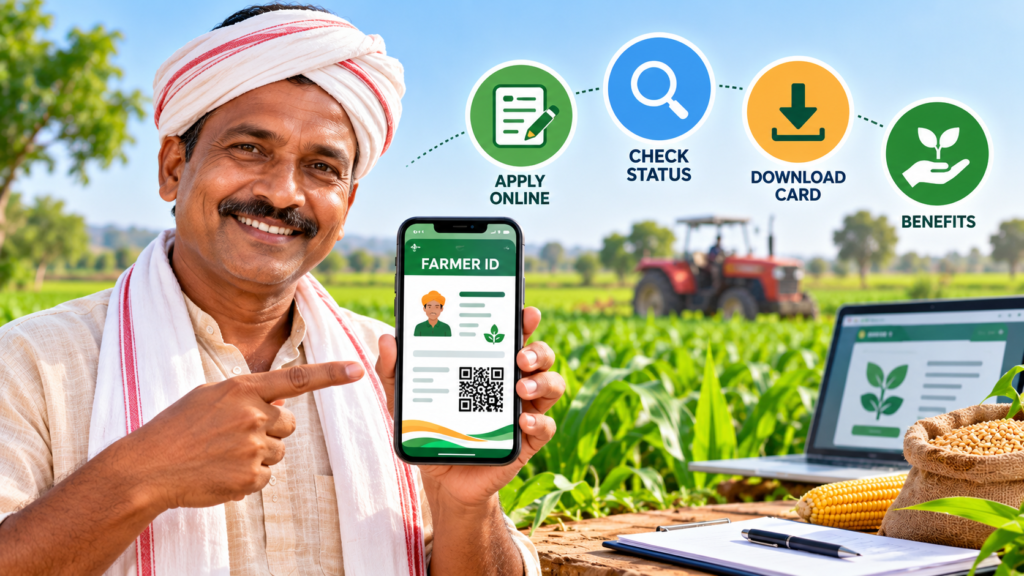
What Is Farmer ID?
Farmer ID is a unique digital identifier assigned to a farmer through the Farmer Registry under AgriStack. The initiative is being implemented by state governments according to the national framework.
The purpose is to connect relevant farmer information with agricultural records and support the delivery of eligible government services. Depending on the applicable state system, the registry may connect a farmer’s identity with land records and other agricultural information.
For example, a farmer may need to establish their identity and provide relevant land details when applying for an agricultural service or government scheme. A connected digital registry can help authorized departments verify information more efficiently.
However, having a Farmer ID does not automatically mean that a person qualifies for every government scheme. Each scheme continues to have its own eligibility rules, application requirements, and verification process.
You can learn more through the official AgriStack portal.
What Is AgriStack?
AgriStack is a digital public infrastructure initiative for agriculture in India. It is designed to help build connected digital records that support agricultural planning, farmer identification, and delivery of relevant services.
The Farmer Registry is one part of this wider initiative. States are responsible for implementing their registries and connecting relevant information under the applicable framework.
In simple terms, AgriStack aims to make it easier for authorized government systems to identify farmers and use verified information when providing eligible agricultural services.
It is not a private registration scheme. Farmers should use the official government portal or the approved registration channel for their state.
Who Can Apply for Farmer ID?
Eligibility and registration requirements depend on the applicable state Farmer Registry rules.
Farmers whose details fall within the state’s registration framework may be able to enroll. However, the exact treatment of land ownership, tenancy, family land, joint ownership, and other arrangements can differ.
Before applying, check the official instructions for your state, particularly if:
- The agricultural land is jointly owned.
- The land records are in a family member’s name.
- Ownership has recently changed.
- Land records contain spelling mistakes or outdated details.
- You cultivate leased or rented land.
- Your land is recorded in more than one village or district.
Do not assume that every person who works in agriculture automatically qualifies under the same registration category. If your situation is complicated, contact the state agriculture or revenue department before submitting your application.
Farmer ID Registration: Official Portal for Your State
The first step is to identify the correct registration route for the state where your agricultural land or relevant records are registered.
Start with the official AgriStack portal and follow the available state information or links. You can also contact your state agriculture department or local administration for instructions.
Some state Farmer Registry portals provide options such as farmer login, enrollment-status checking, and viewing farmer details. For example, the Himachal Pradesh Farmer Registry provides a status-checking facility, while the Bihar Farmer Registry provides its own state portal.
These are examples, not universal registration links. Use the portal or service channel officially designated for your state.
Important: A portal may offer status checking or assisted services without allowing every applicant to complete fresh registration independently. Read the instructions shown on the live official website.
Documents and Details Required for Farmer ID Registration
Before visiting a registration centre or beginning an online application, keep your relevant records available.
The exact requirements depend on your state, the registration method, and your circumstances. Commonly requested information may include the following.
1. Aadhaar card or identity details
Aadhaar may be used for identity verification in the applicable registration process. Follow the official instructions about authentication and consent.
Make sure your personal details are accurate. If your name differs across records, ask the responsible department how to correct the mismatch.
2. Mobile number
A mobile number may be needed for account access, verification messages, or application updates.
Check the official portal’s requirements to determine whether the number must be linked to Aadhaar or registered through another approved process.
3. Agricultural land records
Depending on the state, officials may need to verify land-related details using records such as a khasra number, khata number, survey number, or other state-specific land identifier.
Some systems retrieve land information electronically, while others may require additional information or supporting documents.
4. Existing farmer registration details
If you already have a farmer registration number, state agriculture database entry, or other relevant identifier, keep it available in case the application asks for it.
An existing registration in another system should not automatically be assumed to be the same as an AgriStack Farmer ID.
5. Other supporting documents
The state or registration centre may request additional information depending on the case. Do not assume that every applicant must upload a bank passbook, photograph, or every land document listed on an unofficial website.
Check the current official instructions before preparing your application.
How to Apply for Farmer ID Online
If your state provides online registration, follow the instructions on its official Farmer Registry portal. The precise screens and steps can vary, but the general process may look like this.
Step 1: Open the official state portal
Start from the national AgriStack website or the relevant state government’s agriculture department website.
Make sure the portal belongs to the government or an authorized service provider before entering personal information.
Step 2: Find the registration option
Look for an option such as Farmer Registration, Farmer Enrollment, New Registration, or a similar label.
If the portal only displays login and status-checking options, it may not support direct public registration on that page. Check the instructions for assisted registration or contact the state department.
Step 3: Enter the required information
Provide the requested details accurately. These may include your identity information, mobile number, and relevant agricultural or land-record details.
Only enter information requested by the official process. Never share an OTP or password with an unknown person.
Step 4: Complete verification and consent
Follow the portal’s verification steps. Depending on the system, this may involve OTP authentication, identity verification, or confirmation of consent for the relevant data processing.
Read any declaration carefully before submitting it.
Step 5: Verify the land and farmer details
The relevant system or officials may compare your information with available records. If a detail does not match, you may be asked to correct it or provide further information.
Do not submit a different person’s information to get around a mismatch.
Step 6: Submit the application
After checking the details, submit the application if the portal provides that option.
Save the acknowledgement, enrollment number, or application reference if one is issued. It can help you follow up later.
Step 7: Follow up on the application
Use the available status-checking service or contact the designated registration authority. Your Farmer ID should only be treated as generated once the official system confirms it.
If online registration is not available: Ask your local agriculture office, authorized Common Service Centre (CSC), or state-designated registration centre whether assisted enrollment is offered.
How to Check Farmer ID Registration Status
After submitting an application, you may want to know whether it has been approved or whether more information is required.
The official AgriStack Farmer Registry framework provides for status checking through state systems, although the available public features differ by state.
Method 1: Check the state Farmer Registry portal
- Open the official state portal used for your registration.
- Look for Check Enrollment Status, Application Status, or a similar option.
- Enter the reference or other information requested by the portal.
- Complete any verification step.
- Read the result and follow the instructions shown.
The exact fields required may vary. Some portals may ask for an enrollment reference or other identifying details.
Method 2: Contact the registration centre
If you applied through a CSC, registration camp, or agriculture office, contact that same channel and ask for an update.
Keep your acknowledgement or reference number available, if you received one.
Method 3: Contact the state agriculture department
If the portal does not show your application or the status remains unclear, contact the responsible state department or the official helpdesk listed on the government portal.
Do not assume that a delayed update means rejection. Ask the responsible authority to confirm the actual status.
What Do Common Application Statuses Mean?
Different portals use different wording, but these are some possible status descriptions and what you should do.
| Possible status | What it may mean | What to do |
|---|---|---|
| Submitted | The application has been received | Save the reference and check for updates |
| Pending or Under Verification | Some checks may still be in progress | Follow the portal’s instructions or contact the authority |
| Approved or Generated | The system indicates successful processing | Follow the official instructions to view or access the ID |
| Returned or Correction Required | Additional information or corrections may be needed | Read the remarks and contact the responsible office |
| Rejected | The application was not accepted under the recorded decision | Ask for the stated reason and whether correction or appeal is possible |
| No Record Found | The details entered may not match a recorded application, or submission may not have completed | Check the reference and contact the registration channel |
These descriptions are general examples, not a universal status list. Use the meaning and instructions provided by your own state’s portal.
How to Download or Access Your Farmer ID Card
Once the state system confirms that your Farmer ID has been generated, look for the official method to view or download it.
Step 1: Return to the official portal
Open the same state Farmer Registry portal used for registration.
Step 2: Sign in if required
Some portals may require a login, while others may provide a farmer-details or ID-viewing service.
Use only the official sign-in process.
Step 3: Find your farmer details
Look for an option such as View Farmer Details, Farmer ID, Download, Print, or another label used by that portal.
Step 4: Save the document if available
If the portal provides a digital card or downloadable document, follow the displayed instructions to save it securely.
Step 5: Check the details
After accessing the ID, check that the displayed information is correct. If you find an error, ask the responsible department how to request a correction.
Please note: Not every state portal offers the same card-download facility. If you cannot find a download option, contact the state helpdesk or registration authority instead of relying on an unofficial download website.
Benefits of Farmer ID
Farmer ID is intended to support more organized farmer records and improve how authorized departments deliver eligible agricultural services.
The benefits available to an individual farmer depend on state implementation, scheme rules, and the farmer’s eligibility.
1. A unique farmer identity
The registry assigns a unique Farmer ID within the applicable system. This can help authorized departments identify a farmer and connect relevant records.
2. Better connection with agricultural records
The Farmer Registry is designed to link relevant farmer information with agricultural land records under the applicable framework.
This may help reduce repeated verification in supported processes, although the extent of integration depends on the system and service being used.
3. Support for eligible government services
A Farmer ID may be used as part of verification for certain agricultural services or schemes where the state or scheme requires it.
It is not a guarantee of approval, subsidy, insurance, or financial assistance.
4. Potentially easier verification
Where a department supports the registry, connected records may help officials verify information more efficiently.
Farmers should still keep important documents and follow the specific requirements of each scheme or service.
5. Support for digital agriculture
AgriStack is intended to strengthen digital agricultural infrastructure and support more coordinated delivery of eligible services.
The exact services available to an individual farmer will depend on the state and the programs connected to the registry.
Is Farmer ID Required for PM-KISAN?
This is an important question, but the answer depends on the applicable PM-KISAN instructions and the state in which the farmer is registered.
Do not assume that having a Farmer ID automatically qualifies you for PM-KISAN payments. Eligibility conditions and verification requirements continue to apply.
Likewise, do not assume that every existing beneficiary or applicant faces identical registration requirements in every state and at every stage.
For the latest requirements, check the official PM-KISAN portal and your state’s Farmer Registry instructions. If you have received a message saying that Farmer ID registration is required, confirm it through the official portal or agriculture office before sharing personal information.
What to Do If Farmer ID Registration Fails
If your application is delayed, returned, or rejected, take the following steps.
Check the details you submitted
Review the spelling of your name and the land information entered during registration.
Check the official status and remarks
If the portal displays a reason for the delay or rejection, read it carefully. Follow the correction instructions provided by the responsible authority.
Ask about land-record mismatches
If the land details do not match, contact the relevant revenue or land-record office to understand how the record can be corrected.
Contact the registration centre
If you applied through a CSC or registration camp, ask the operator or responsible official to explain the next step.
Use official grievance channels
If the issue remains unresolved, use the helpdesk or grievance process listed on the official state portal.
Do not pay an unknown agent who promises guaranteed approval or asks for your OTP or account password.
Important Safety Tips for Farmers
Farmer registration involves personal information, so it is important to protect your details.
- Use official government websites or authorized registration channels.
- Verify the website address before entering personal information.
- Never share an OTP or password with an unknown caller.
- Do not post your Aadhaar number, bank details, or full personal records in public comments.
- Read consent forms and declarations before submitting them.
- Keep your application acknowledgement and official correspondence safely.
- Confirm any request for payment through an official source. Do not assume that an unofficial agent’s fee is a government registration fee.
If you are unsure whether a message or website is genuine, contact your state agriculture department directly.
Frequently Asked Questions About Farmer ID
1. What is Farmer ID?
Farmer ID is a unique digital identifier created through the Farmer Registry under AgriStack. It is intended to help identify farmers and connect relevant agricultural records for supported services.
2. How can I apply for Farmer ID online?
Start from the official AgriStack or state agriculture department website. If your state provides online enrollment, follow its registration instructions. Otherwise, ask about approved assisted registration.
3. Is Farmer ID registration the same in every state?
No. The Farmer Registry is implemented by states, and portal features, verification steps, and registration channels can differ.
4. Which documents are required for Farmer ID?
Requirements vary by state and application type. Identity details, mobile information, and agricultural land records may be relevant. Check your official state instructions for the exact list.
5. How can I check Farmer ID status?
Use the status-checking option on your state’s official Farmer Registry portal if available. You can also contact the CSC or office where you registered.
6. How can I download my Farmer ID card?
After the ID is generated, use the official state portal’s available view, download, or print facility. If the portal does not provide a download option, contact the state helpdesk.
7. Can I get Farmer ID through a Common Service Centre?
Some state registration processes provide assisted services through authorized CSCs or other designated centres. Confirm availability with your state or local administration.
8. Does Farmer ID guarantee government scheme benefits?
No. A Farmer ID may support identification and verification, but each scheme has its own eligibility rules and approval process.
9. Is Farmer ID the same as PM-KISAN registration?
No. Farmer ID belongs to the Farmer Registry initiative. PM-KISAN is a separate scheme with its own eligibility and verification requirements, although the systems may be connected in certain processes.
10. What should I do if my land records are incorrect?
Contact the relevant state revenue or land-record authority to understand the correction process. Then follow the Farmer Registry’s instructions for updating or verifying your details.
11. Can tenant farmers apply for Farmer ID?
This depends on the rules and categories supported by the applicable state registry. Tenant farmers should check official state guidance rather than assume that the same land-record rules apply everywhere.
12. Where can I find the official Farmer ID website?
Start at the official AgriStack portal and follow the relevant state information. You can also consult your state’s agriculture department.
Final Words
Farmer ID is an important part of India’s effort to build connected digital agricultural records. It is intended to help identify farmers and support the delivery of eligible government services through the AgriStack framework.
If you want to register, start by checking your state’s official Farmer Registry process. Keep your relevant details ready, review them carefully, save your acknowledgement, and use the official status-checking service to follow up.
Remember that registration, card access, and eligibility rules can vary by state. A Farmer ID can support verification, but it does not automatically guarantee a subsidy, PM-KISAN payment, insurance benefit, or approval under any other scheme.
Disclaimer: This article is for general informational purposes. Farmer Registry procedures and services may change. Verify current registration requirements, document lists, and scheme rules through the official AgriStack portal or your state agriculture department before applying.
SHARING IS CARING 💖