
Want to know how much money has accumulated in your Provident Fund account? You do not need to visit an EPFO office or wait for your employer to give you a statement. In many cases, you can complete a PF balance check at home using your mobile phone or computer.
The Employees’ Provident Fund (EPF) is an important savings benefit for eligible employees in India. Contributions from your salary and your employer help build your retirement savings over time. Checking your balance regularly can help you track contributions and notice possible discrepancies.
In this guide, you will learn how to check your PF balance online in five ways: through the EPFO passbook portal, the EPFO member portal, the UMANG app, SMS, and a missed call. You will also learn what to do if your balance is not showing or your UAN is not activated.
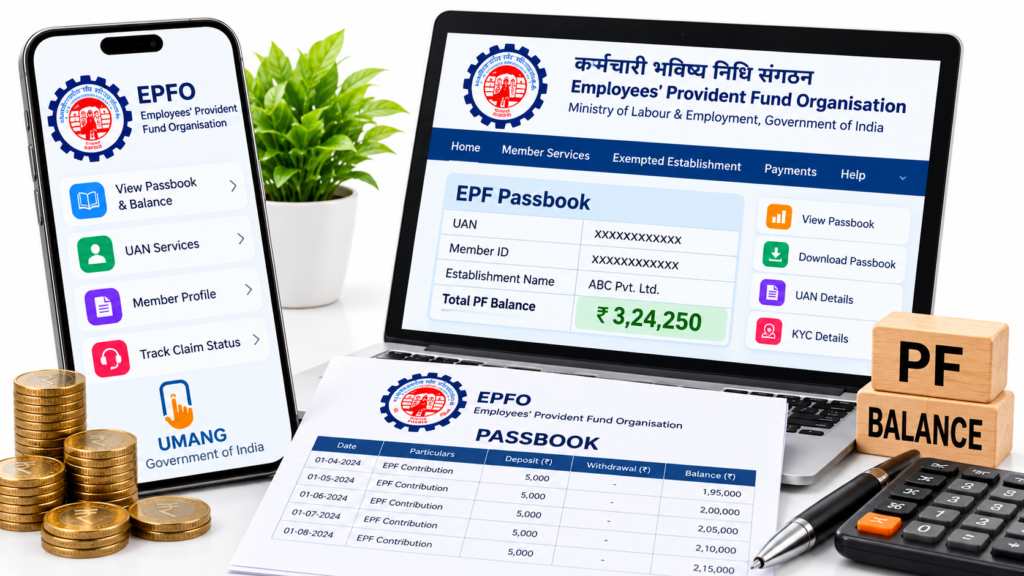
What Is PF Balance?
PF balance refers to the money recorded in your Employees’ Provident Fund account. For eligible employees, the account generally receives contributions from the employee and employer under the applicable EPF rules.
Your EPF passbook can show contribution entries, account details, and interest-related information. However, the employer’s total contribution is not necessarily credited entirely to the EPF savings portion; part of the employer’s contribution may be allocated to the Employees’ Pension Scheme (EPS), depending on the applicable rules.
Checking your PF balance helps you understand what has been recorded in your account and whether recent contributions appear as expected.
What Do You Need Before Checking Your PF Balance?
Before using an online or mobile method, keep these things ready:
- UAN: Your Universal Account Number, where required.
- Registered mobile number: Especially important for SMS, missed-call services, and OTP verification.
- UAN password: Needed for login-based services.
- Internet connection: Required for portal and app methods.
- Aadhaar-linked mobile access: May be needed for certain UAN activation or authentication services.
If you do not know your UAN, check your salary slip or contact your employer’s HR or payroll team. You can also use the official EPFO member portal to access available UAN-related services.
Official portal: https://unifiedportal-mem.epfindia.gov.in/memberinterface/
5 Easy Ways to Check Your PF Balance at Home
Method 1: Check PF Balance Through the EPFO Passbook Portal
The EPFO passbook portal is useful if you want to see more than just a balance figure. It can show your contribution entries and other available account information.
Steps to check your PF balance:
- Visit the official EPFO Passbook Portal.
- Enter your UAN and password.
- Complete the requested verification or CAPTCHA, if displayed.
- Sign in to your account.
- Select the relevant Member ID, if more than one is listed.
- Open the passbook to review the available contribution details.
Depending on the account and service availability, you may be able to view or download the passbook.
Why use this method?
It is helpful when you want to review monthly contributions instead of checking only a summary. If you have worked for different employers, check the relevant Member IDs and account records.
Important: Passbook access may be unavailable for certain exempted establishments or during technical maintenance. If you cannot see your passbook, contact your employer or EPFO through its official channels.
Method 2: Check PF Details Through the EPFO Member Portal
The EPFO Member Portal is another official option for accessing your account and related member services.
Follow these steps:
- Open the EPFO Member Portal.
- Enter your UAN and password.
- Complete the CAPTCHA or other requested verification.
- Sign in and review the services available in your account.
- Open the relevant service or account information option.
The member portal is also useful for certain profile, UAN, and service-related tasks. The exact options shown may change as EPFO updates its systems.
Remember: The Member Portal and the Passbook Portal are separate services. If your main purpose is to review detailed contribution entries, use the dedicated passbook portal when it is available to you.
Method 3: Check PF Balance Using the UMANG App
If you prefer using your smartphone, the UMANG app provides access to several government services, including EPFO services.
How to check your PF balance using UMANG:
- Install the official UMANG app from your phone’s app store.
- Open the app and search for EPFO services.
- Select the relevant EPFO member service, such as viewing your passbook.
- Follow the instructions displayed on the screen.
- Complete the required authentication, which may include OTP verification.
- View the available account or passbook information.
The exact menu names and verification steps may change when the app is updated.
Why choose UMANG?
It is convenient if you manage government services from your mobile phone. EPFO also provides UAN-related services through UMANG, including activation and allotment services that may require Aadhaar-based face authentication.
Use only the official app. Do not install an unofficial application that promises to reveal your PF balance.
Official resource: EPFO website
Method 4: Check PF Balance Through SMS
If your UAN is active and your mobile number is registered with EPFO, you can use the official SMS service to request available PF account information.
SMS steps:
- Open the messaging app on your registered mobile number.
- Type the following message:
EPFOHO UAN ENG - Send it to 7738299899.
- Wait for the response, if the service is available and your account meets the requirements.
Here, ENG requests English-language information. EPFO supports language options for the SMS service; use the appropriate language code if you prefer another supported language.
Before sending the SMS:
- Check that you are using the mobile number registered with EPFO.
- Make sure your UAN is active and the required KYC details are linked, as applicable.
- If you receive no response, check the official EPFO website for current service instructions.
SMS charges may depend on your mobile operator and plan.
Method 5: Check PF Balance Through a Missed Call
A missed-call service can be convenient when you do not have mobile data available. EPFO’s official passbook portal currently displays the PF balance enquiry number.
How to use the missed-call service:
- Use the mobile number registered with your EPFO account.
- Give a missed call to 9966044425.
- End the call when it disconnects automatically.
- Wait for the account information response, if the service is available for your account.
This service is intended for eligible members whose UAN and required KYC information meet EPFO’s conditions.
If you do not receive a response: Confirm that you are calling from your registered mobile number and check the official EPFO portal for the latest instructions. Do not repeatedly call unfamiliar numbers advertised on unofficial websites.
Official reference: EPFO Passbook and Balance Enquiry
Which PF Balance Check Method Is Best?
| Method | Best for | Internet needed? |
|---|---|---|
| EPFO Passbook Portal | Detailed contribution records | Yes |
| EPFO Member Portal | Account and member services | Yes |
| UMANG App | Checking services on a smartphone | Generally yes |
| SMS | Requesting available account information | No mobile data required |
| Missed call | A quick balance enquiry | No mobile data required |
Availability and authentication requirements may vary. For the most detailed record of your contributions, start with the official passbook portal if your account supports access.
How to Check PF Balance Without a UAN Password
If you have forgotten your UAN password, do not share your details with a third party that claims it can check the balance for you.
Instead, visit the official EPFO Member Portal and look for the password recovery option. Follow the official verification instructions.
If you do not know your UAN, check your salary slip or ask your employer. The EPFO portal also provides UAN-related services. Current UAN activation and allotment procedures may require you to use UMANG and complete the prescribed authentication steps.
Avoid using websites that ask you to pay a fee simply to reveal your PF balance.
What to Do If Your PF Balance Is Not Showing
Sometimes your PF balance or passbook may not appear immediately. This does not automatically mean your money is missing.
Here are some possible reasons:
- Recent contribution not yet visible: There may be a delay before a contribution appears in your records.
- Incorrect login details: Check your UAN and password carefully.
- KYC or mobile-number issue: Required information may need updating or verification.
- Multiple Member IDs: Your previous employment records may appear under a different Member ID.
- Exempted establishment: Some employees may need to obtain their PF statement directly from the employer’s trust.
- Technical maintenance: The portal or app may temporarily be unavailable.
- Employer contribution issue: If a contribution remains missing after a reasonable period, ask your employer to confirm whether it was deposited and reported correctly.
If the problem continues, contact your employer’s payroll team or use the official EPFO website to find the appropriate support channel.
How to Check Whether Your Employer Is Depositing PF
Your payslip may show a PF deduction, but it is sensible to check the corresponding account records periodically.
- Open your EPF passbook.
- Select the relevant Member ID.
- Review the contribution entries for recent months.
- Compare the entries with your payslips.
- Ask your employer’s payroll team about any unexplained differences.
Keep in mind that the employee contribution, employer contribution, pension allocation, and take-home salary are different items. Their amounts may not match one another exactly.
If you suspect that contributions are missing, preserve your payslips and relevant records and raise the issue through the appropriate official channels.
Is It Safe to Check PF Balance Online?
Yes, using official EPFO services and the official UMANG app is the appropriate approach. However, you should protect your personal and financial information.
Follow these safety tips:
- Use official government websites and the official UMANG app.
- Never share your UAN password or OTP with another person.
- Do not pay someone who promises to reveal your balance.
- Avoid logging in through links received in suspicious messages.
- Sign out after using your account on a shared computer.
- Keep your phone and browser updated.
- Do not post your PF passbook or personal account information publicly.
EPFO warns members against sharing sensitive personal information and responding to fraudulent requests for money.
Frequently Asked Questions About PF Balance Check at Home
1. How can I check my PF balance at home?
You can check it using the EPFO passbook portal, EPFO Member Portal, UMANG app, SMS, or the official missed-call service, subject to the requirements of each method.
2. What is the official number for checking PF balance by missed call?
The EPFO Passbook Portal currently lists 9966044425 for PF balance enquiry. Use the mobile number registered with EPFO and check the official portal if the service instructions change.
3. What is the SMS number for checking PF balance?
The EPFO passbook portal lists 7738299899 for the SMS service. Follow the current official message format, which includes EPFOHO UAN ENG for an English-language response.
4. Can I check my PF balance without the internet?
You may be able to use the SMS or missed-call services without mobile data, provided your account meets the requirements and the services are available.
5. Can I check PF balance using my mobile phone?
Yes. You can use your phone’s browser to access the official EPFO portal, or use the UMANG app, SMS, or missed-call service.
6. Can I check my PF balance without a UAN?
The usual online and mobile methods generally require your UAN or an associated account setup. If you do not know it, check your salary slip, contact your employer, or use the official EPFO member services to find the appropriate recovery option.
7. Why is my latest PF contribution not showing?
It may not have been processed or displayed yet, or there may be a reporting issue. Compare your records and contact your employer if the contribution remains missing.
8. Can I download my EPF passbook?
If passbook access is available for your account, you can sign in to the official EPFO Passbook Portal and view or download the available record.
9. Is checking PF balance online free?
Using official EPFO services is generally free. Your mobile operator may charge for SMS, depending on your plan. Avoid paying unofficial agents to check your balance.
10. What should I do if my UAN is not activated?
Visit the official EPFO Member Portal or consult the current UAN services instructions. EPFO’s latest guidance provides UAN activation and allotment through the UMANG app using the prescribed authentication process.
Final Words
Checking your PF balance at home is a simple way to keep track of your retirement savings. You can use the EPFO passbook portal for detailed contribution records, the UMANG app for mobile access, or the SMS and missed-call services when you prefer a quick enquiry.
Make it a habit to review your account periodically and compare the entries with your salary records. If a contribution is missing or your details are incorrect, contact your employer or EPFO through official channels rather than relying on unofficial websites.
Disclaimer: This article is for general informational purposes. EPFO procedures, service availability, and authentication requirements may change. Verify the latest instructions on official government websites before acting on them.
SHARING IS CARING 💖