
If your name is misspelled on your Aadhaar card, your surname has changed, or you need to update your name after marriage or another legal change, it is important to follow the official UIDAI process. An incorrect name in Aadhaar can cause difficulties when your identity details are checked against other documents.
In this guide, you will learn how to change your name in an Aadhaar card in 2026, which documents may be required, how much the update costs, how to check your request status, and whether you can complete the process online from home.
Important: UIDAI’s online update service currently focuses on address and document updates. For a name correction or name change, you should generally visit an authorized Aadhaar Seva Kendra or Aadhaar Enrolment and Update Centre. The documents required depend on the type of change you are requesting.
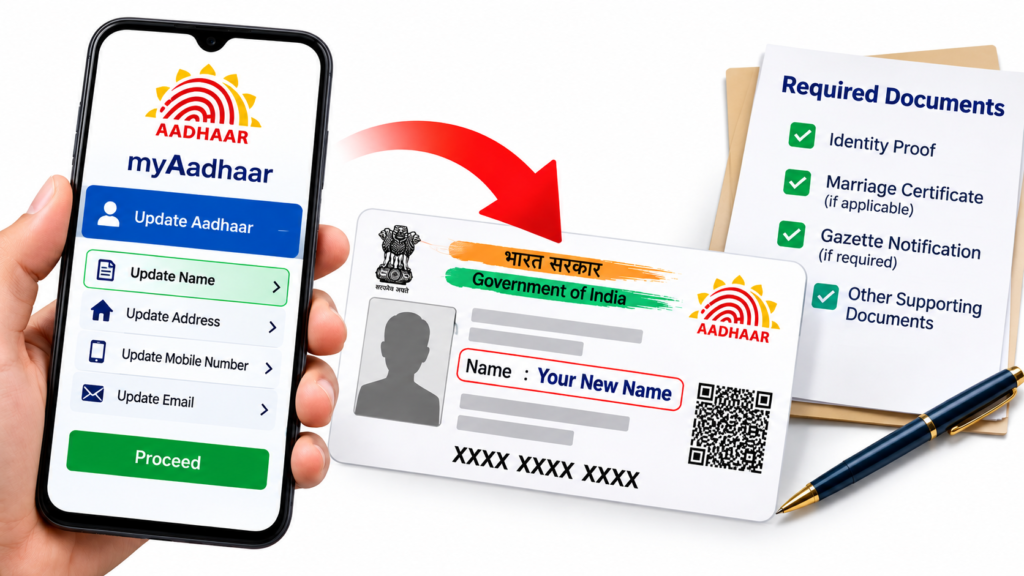
Can You Change Your Name in an Aadhaar Card Online at Home?
Not every Aadhaar name update can be completed online. UIDAI’s published guidance says that residents should visit the nearest Aadhaar Seva Kendra for minor name corrections or a change of name.
You can use the internet to check official requirements, find a centre, book an appointment where available, and check the status of an update request. However, do not assume that you can change your name entirely online just because you can access the myAadhaar portal.
For the latest instructions, visit the official UIDAI website and check its Enrolment and Update information.
Documents Required to Change Your Name in Aadhaar
The supporting documents depend on whether you are correcting a spelling mistake, changing your surname, or changing your full name.
Documents that may be relevant include:
- Valid proof of identity: An accepted identity document showing the correct name.
- Marriage certificate: May be relevant when changing a name or surname after marriage, subject to UIDAI requirements.
- Gazette notification: May be required for certain full-name changes or changes beyond the permitted update limit.
- Divorce decree: May be relevant when a name change follows a divorce.
- Adoption certificate: May be relevant for an eligible name change following adoption.
- Other supporting records: UIDAI may require additional documents depending on the circumstances and the applicable rules.
This is a general guide, not a guarantee that every listed document will be accepted for every type of change. Before visiting a centre, check UIDAI’s current supporting-document requirements and the latest name-update procedure.
Make sure your document is valid, legible, and shows the name you are requesting. If the details do not match or the document is not accepted for your particular request, your application may be rejected.
Step-by-Step Process to Change Your Aadhaar Name in 2026
Step 1: Identify the Type of Name Change
First, decide which correction you need. For example:
- Correcting a spelling mistake
- Updating or changing a surname
- Changing your name after marriage or divorce
- Correcting a name-entry error
- Changing your full name
The documents and verification process may differ for each case.
Step 2: Check the Latest UIDAI Rules
Visit the official UIDAI website and check the latest name-update instructions before submitting your request. UIDAI published a revised Standard Operating Procedure (SOP) for updating names in Aadhaar on 18 September 2026. Review the official circular and follow the requirements that apply to your situation.
You can find it on the UIDAI Circulars page.
Step 3: Prepare the Required Documents
Arrange the original supporting document or documents required for your case. Check the current rules carefully if you are changing your full name, changing your surname, or applying after reaching the permitted number of name updates.
Do not rely only on a photocopy or a document you found online without confirming that UIDAI accepts it for your requested change.
Step 4: Find an Aadhaar Update Centre
Visit the official Aadhaar Seva Kendra information page to locate an appropriate centre. If appointment booking is available for your chosen centre, you may be able to book through the official UIDAI appointment portal.
Carry your Aadhaar details and the documents required for your specific name change.
Step 5: Submit the Name-Update Request
At the centre, tell the operator exactly what name correction or change you need. Check the information entered into the update request before confirming it.
Keep the acknowledgement slip or receipt containing your update request details. You may need these details to track your application.
Step 6: Pay the Applicable Fee
Ask the operator to confirm the official fee for your particular service before paying. Keep your payment receipt.
Step 7: Check the Update Status
Use the official myAadhaar portal to find the available status-checking service. Enter the requested reference details from your acknowledgement receipt.
Submitting a request does not automatically mean that it has been approved. UIDAI verifies the information and supporting documents before processing the change.
Step 8: Download Your Updated Aadhaar
If your request is approved, check your Aadhaar details through UIDAI’s official services. You can download your updated e-Aadhaar when it becomes available.
Your Aadhaar number normally remains the same after demographic details are updated. Always check that the revised name is spelled correctly.
Aadhaar Name Change Fees in 2026
UIDAI’s published fee schedule lists a charge of ₹75 for a separate demographic update at an Aadhaar enrolment centre. Demographic updates include name, gender, date of birth, address, mobile number, and email address. The fee may differ where an update is combined with another eligible service or where a special rule applies.
Before visiting, verify the current fee on the official UIDAI Aadhaar Seva Kendra page. Do not pay unofficial agents who promise guaranteed approval or faster processing.
How Many Times Can You Change Your Name in Aadhaar?
UIDAI’s published general guidance states that a name can ordinarily be updated twice during a person’s lifetime. If you have already used the permitted limit, additional changes may require an exception process and specific supporting documents, such as a Gazette notification, depending on the case.
If your request has been rejected because the limit has been reached, do not submit repeated applications without checking the applicable exception procedure. Contact UIDAI for instructions.
You can call the UIDAI helpline at 1947 or use the contact details listed on the official website.
Important Tips Before Applying
- Check the latest UIDAI rules before preparing your documents.
- Use only accepted documents that support the name you want to use.
- Confirm the fee on the official website or at the centre.
- Check all spelling and personal details before submitting the request.
- Keep your acknowledgement slip and payment receipt.
- Never share your Aadhaar OTP or sensitive personal information with an unknown person.
- Use official UIDAI websites instead of links sent by unknown agents or social-media accounts.
Frequently Asked Questions (FAQs)
1. Can I change my Aadhaar name online from home in 2026?
UIDAI’s published online update service currently focuses on address and document updates. Name corrections and name changes generally require a visit to an Aadhaar Seva Kendra. Check UIDAI’s latest instructions in case the service options change.
2. What documents are required for an Aadhaar name change?
The documents depend on the type of change. An accepted proof of identity may be needed, while a marriage certificate, Gazette notification, divorce decree, or adoption certificate may be relevant in specific cases.
3. What is the fee for changing a name in Aadhaar?
UIDAI’s published fee schedule lists ₹75 for a separate demographic update at an Aadhaar enrolment centre. Confirm the applicable fee for your specific request before applying.
4. How many times can I change my name in Aadhaar?
The general permitted limit is twice in a lifetime. Requests beyond the limit may need an exception process and additional documents.
5. Is a Gazette notification compulsory for every Aadhaar name correction?
No. The requirement depends on the type of name change and the applicable UIDAI rules. A Gazette notification may be required for certain full-name changes or requests beyond the permitted limit. Check the latest official SOP before applying.
6. How can I check my Aadhaar name-update status?
Visit the official myAadhaar portal and use the available status-checking service with the reference details from your acknowledgement receipt.
7. Will my Aadhaar number change after my name is updated?
No. Updating demographic details normally does not change your Aadhaar number.
8. What should I do if my name-update request is rejected?
Read the reason given for rejection and check whether your document was accepted, the details matched, and the applicable update limit was followed. Contact UIDAI on 1947 if you need guidance about the correct next step.
Conclusion
Changing your name in an Aadhaar card requires the correct documents and compliance with UIDAI’s current rules. Although you can check requirements, locate a centre, and use online services from home, a name correction or name change generally requires an in-person update request.
Before applying, verify the latest SOP, prepare the documents relevant to your case, confirm the fee, and keep your acknowledgement receipt. For the most reliable information, always use official UIDAI services.
SHARING IS CARING 💖